Human vs AI Writing: Why Human Articles Still Win

Human-written articles stand out when they show firsthand work, clear limits, and details a reader can check. AI can help shape a draft, but it cannot supply an experience the writer never had. If you use it, keep the troubleshooting, decisions, and evidence that make your article useful.
Generative software has filled the internet with competent, interchangeable prose. Search engines, editors, and readers encounter thousands of articles that look complete at a glance but offer nothing original. Any publication can produce a polished overview with a single prompt. Fluency alone gives readers little reason to stay. What makes an article useful is the experience behind it: configuration errors, hardware limits, design trade-offs, and a position the writer can defend.
You can use drafting software and still give readers those details. The work is in knowing what readers miss in an automated draft, what editors value in firsthand accounts, and which parts of your notes need to survive revision.
Why fluent text can lose readers
Large language models produce polished sentences. They select words that statistically follow preceding words in a large training corpus, and their sentences rarely contain mechanical errors. For someone looking for a quick definition, that fluency makes a good first impression. After three or four paragraphs, though, a reader may lose interest.
A language model does not test software, build furniture, negotiate a contract, or debug an unexpected kernel panic. It has no sensory experience, physical limitations, or personal accountability. Asked to explain a complex procedure, it draws together the consensus of existing web text. That produces an account of how a system ought to work. Readers also need to know what happens when they try it.
Readers notice when those details are missing. In research by the Nielsen Norman Group on how users read on the web, people scanned pages quickly for concise wording, objective details, and facts they could pick out. Promotional and generic prose did not meet that need. Readers leave a draft that repeats generalizations without giving them information they can check or use, even when its grammar is fine.
What an 800-article editorial review tells us
One technical writing competition offers a useful look at what its editors valued. Its results show how judges responded to particular articles, not how all readers respond to human and AI writing.
A technical writing competition's organizers and judges read almost 800 articles in its eighth awards season. Organizers said AI had been involved in 130 nominated entries, including some whose writers used it for editing. The competition's rules excluded AI-assisted entries from the shortlists. That exclusion reflects a contest rule; it is not evidence that judges tested those entries against human articles and found them worse.
The organizers also observed that AI-looking articles could attract high public ratings. A visible AI style, therefore, did not prevent every article from gaining an audience. Their account does not tell us how long those readers stayed, what they learned, or how an otherwise identical human version would have performed.
The organizers said this year's human finalists were more consistently strong than those in several earlier seasons. In their view, writers seemed to be writing more brightly and presenting their work more carefully, possibly in response to the volume of AI-written material. That possible cause was their interpretation, not a finding from a controlled comparison.
Judges' comments highlighted several qualities:
- Care for the reader.
- Where tools or approaches stop applying.
- Comparison of chosen solutions with alternatives.
- Links to useful resources.
- Careful formatting.
These are editorial lessons from one competition, not a universal scorecard. The practical takeaway is to keep the material only you can verify: what you tried, what happened, where the method stops working, and what a reader needs to decide whether it fits.
Five qualities worth keeping in your draft
1. Firsthand troubleshooting
Real work includes problems that a tidy overview leaves out. A developer installing a database encounters missing dependencies. An editor has to reconcile ambiguous style guides, while an engineer testing server throughput finds unexpected packet loss. Readers need to know how those problems were handled.
Automated models describe the ideal path, where every command works on the first attempt. Human writers can include the errors and discarded configuration flags, then explain how they got the system working. An exact error message gives a reader something to recognize. Explaining why a common Stack Overflow recommendation failed, followed by the workaround that worked, shows that the author did the job.
2. Clear limits on where a method works
Generic writing promises too much. An automated draft often describes a framework, method, or software library as suitable for every organization. Practitioners know where a tool stops being useful and what compromises it requires.
State who should avoid the recommended approach. Give the minimum hardware requirements and the team size needed to maintain the system. Explain the conditions under which performance degrades. Those limits help readers avoid expensive mistakes and give them a reason to trust the recommendation.
3. Reasons for rejecting alternatives
Your reasons for rejecting an option can be as useful as your reasons for choosing one. Automated tools can put competing features in parallel columns. They rarely explain the practical problem that made one option unsuitable for the project.
Option B might have looked better on paper until its licensing terms created legal hurdles. Perhaps its documentation was two years out of date, or its memory use spiked unpredictably during stress tests. Explaining that decision gives the reader context a language model cannot get from public marketing summaries.
4. A view backed by experience
Machine drafts often read like committee reports. Each positive observation gets a cautious qualification, and the draft never says which method the writer would choose. Balance belongs in reference material. A practical guide also needs a recommendation that the writer can explain.
Writers invest time, money, and their professional reputation in projects. That experience lets them say plainly that a library is poorly designed, a workflow saves four hours a week, or a vendor claim is untrue. Such opinions help readers judge the options when the author backs them with documented evidence.
5. Care for the reader
Google's search documentation emphasizes creating helpful, reliable, people-first content. It asks writers to satisfy the visitor instead of trying to manipulate search algorithms. For a practical article, that means asking what each paragraph helps the reader do.
Cut background history the reader does not need. Put a useful summary at the top of a long section, and use a table when technical parameters are easier to compare that way. Automated drafts often repeat introductions or define concepts the audience already knows. A human editor usually has to remove that padding.
Comparing human, raw AI, and AI-assisted writing
| Dimension | Raw AI Output | Pure Human Writing | AI-Assisted, Human-Edited |
|---|---|---|---|
| Primary Source of Authority | Statistical consensus across web training data | Firsthand testing, observation, and project execution | Verified personal findings structured with software support |
| Handling of Errors and Friction | Ignores friction; assumes the happy path works | Documents bugs, edge cases, and unexpected failures | Personal error logs preserved; tool used to clarify steps |
| Scope and Boundaries | Claims broad, universal applicability for ideas | Sets strict limits on when and where an approach applies | Human editor inserts clear boundaries and disclaimers |
| Evaluation of Alternatives | Compares features based on marketing summaries | Compares real-world trade-offs, costs, and pain points | Human experience dictates why alternatives were rejected |
| Editorial Tone and Voice | Predictable, neutral, repetitive, and cautious | Distinctive, opinionated, varied, and direct | Polished by software, then edited by hand to restore punch |
| Reader Trust and Durability | Low; feels generic and quickly becomes obsolete | High; remains valuable as a verified historical record | High; combines readability with empirical authority |
Raw generation and human editing require different work. A raw draft loses details readers need. Used as a drafting assistant, software can help a writer organize and explain the experience they bring to the article.
What automated writing tends to remove
When you pass rough notes through a language model, watch what happens to the rhythm. Human prose moves between short statements and longer sentences that follow a complicated thought. Models favor a steady cadence of between twenty and thirty words per sentence, joined by coordinating conjunctions. Readers may not count the words, but that repetition becomes tiring within a few paragraphs.
Watch for added praise too. The community guide to signs of AI writing on Wikipedia describes inflated significance, trailing participial clauses that claim vague benefits, and formulaic transitions. Phrases such as "marking a pivotal step forward" or "highlighting the critical importance of digital transformation" make a sentence longer without explaining anything.
Models also fill gaps that a writer has deliberately left open. You might admit that a metric remains unmeasured or that an issue occurs only on certain ARM processors. Those limits belong in the article. A model tends to replace uncertainty with plausible generalizations, so check that the draft still says what you do not know and which paths you did not take.
Check for these habits when you revise. Our guide to the visible signs of AI writing explains how to spot them. The overview of what an AI humanizer is shows what automated rewriting tools do to individual sentence components.
Worked examples: making drafts more direct
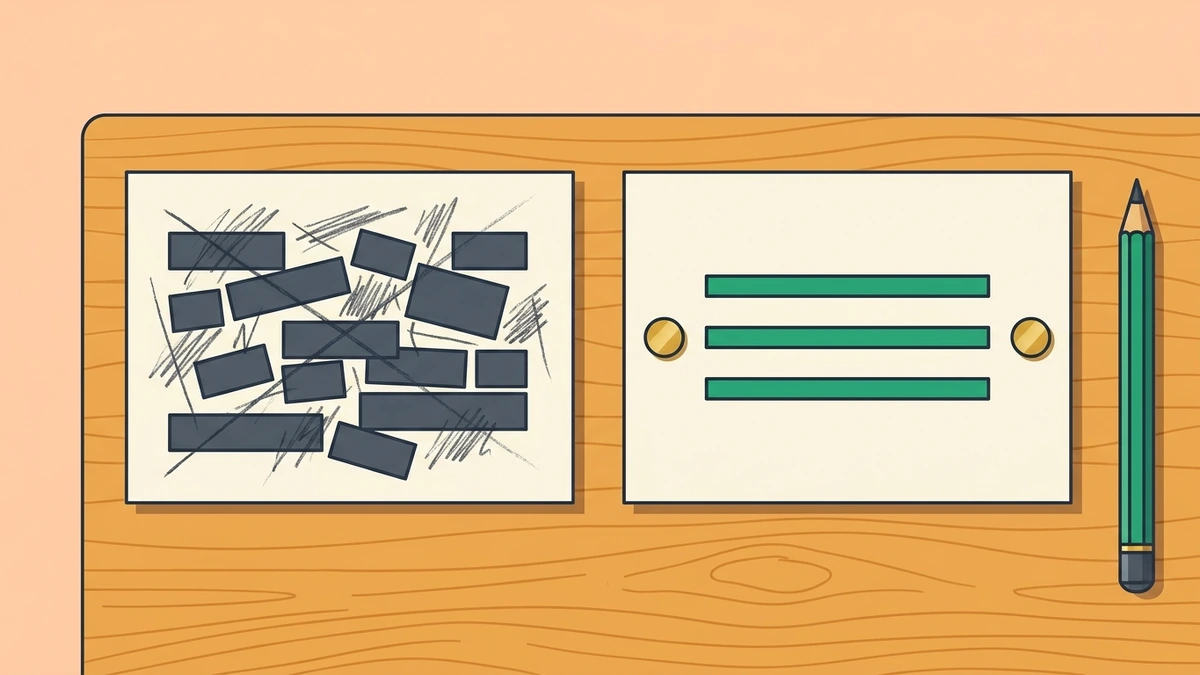
These examples show how sentence edits can preserve useful information. Each Before passage contains passive wording, inflated language, or abstract claims. The After passage keeps the original facts and uses more direct phrasing.
Example 1: Introducing a deployment project
The installation gets buried under praise in this draft:
Before: "The deployment of the updated microservices architecture across the regional cluster serves as a powerful testament to the ongoing engineering initiative, representing a pivotal milestone that fosters enhanced operational efficiency and positions the platform for future scalability."
After: "The engineering team deployed an updated microservices architecture across the regional cluster to improve operational efficiency and prepare for higher traffic."
What was cut and why: "Serves as a powerful testament to the ongoing engineering initiative" says nothing about the architecture. Removing it brings the deployment forward. "To improve" replaces "representing a pivotal milestone that fosters," while "prepare for higher traffic" gives a plainer version of "positions the platform for future scalability." The purpose stays the same without the corporate language.
Example 2: Describing a hardware failure
Passive verbs and abstract nouns make this hardware problem hard to follow:
Before: "During the course of the stress evaluation phase, it was observed by the infrastructure monitors that thermal throttling was experienced by the storage controllers, thereby leading to a scenario where disk write operations were subjected to significant latency penalties under sustained input loads."
After: "During stress testing, the infrastructure monitors recorded that the storage controllers overheated, slowing disk write operations under sustained input loads."
What was cut and why: "During stress testing" replaces "During the course of the stress evaluation phase." The monitors become the subject of an active verb: they "recorded" what happened to the controllers. The result also becomes easier to find. Instead of operations being "subjected to significant latency penalties," the sentence says that disk writes slowed. The edit adds no technical details.
Example 3: Outlining project constraints and limits
This draft takes too long to state the limit on its recommendation:
Before: "It is essential to take into consideration that while the caching layer provides demonstrable performance advantages in many deployment contexts, there are certain operational environments characterized by frequent database updates where the implementation may prove suboptimal, suggesting that teams should carefully weigh their architectural options."
After: "The caching layer speeds up many deployments, but it is inefficient in environments with frequent database updates. Teams with write-heavy workloads should consider whether the overhead is worthwhile."
What was cut and why: The opening "It is essential to take into consideration that" can go. "Speeds up many deployments" states the benefit more directly than "provides demonstrable performance advantages in many deployment contexts." The edit then puts the condition beside the benefit: frequent database updates make the caching layer inefficient. The closing recommendation gives teams with write-heavy workloads a decision to consider. The factual parameters stay the same.
What to keep when you use AI: a five-step workflow
Keep control of the material you give the tool, the outline, and the final edit. These five steps let you use software to speed up drafting while keeping your observations and conclusions in your own hands.
Step 1: Record evidence before opening a tool
Start with evidence rather than a topic prompt. Asking a tool to write about database indexing produces the generic summary thousands of other sites have already published.
Before opening any drafting software, assemble your raw evidence:
- Terminal output logs, error messages, and benchmark measurements.
- Exact software version numbers, operating system specifications, and hardware components.
- The chronological sequence of how you diagnosed a bug or configured a system.
- The two or three alternative approaches you tested and why you abandoned them.
- Direct notes on what surprised you during the process.
Keep this material even when it is messy. Detailed notes give the software something to organize without asking it to invent the work. When you review the result, our sister site's self-editing checklist can help you check whether the draft still gives readers the details they need.

Step 2: Use software to organize your notes
A language model can help organize rough notes into sections. It can also point to places where a reader may need a definition or an extra configuration step.
When prompting a tool for structural assistance:
- Feed the tool your raw evidence and bullet points.
- Ask it to generate an outline that moves from problem definition to testing, implementation, and boundaries.
- Explicitly instruct the tool not to generate conclusions, recommendations, or opinions.
- Reject any outline section that introduces generic historical context or promotional definitions that your audience already knows.
You decide what the article argues. Use the outline to arrange your observations, and check that every proposed section has evidence behind it.
Step 3: Add limits and failed experiments by hand
Read the working draft for missing limits. Automated tools drift toward optimistic claims, so you need to put the problems and caveats back where readers will see them.
Ask yourself these specific verification questions:
- Did I specify the exact conditions where this method fails?
- Did I clearly identify who should avoid this implementation?
- Did I state the performance cost, memory overhead, or maintenance burden introduced by this change?
- Did I document the failed experiments that preceded this working solution?
Step 4: Edit line by line
Read every sentence that software generates or revises. You need to check the voice and sentence lengths yourself; an automated tool will not reliably preserve them.
The Federal Plain Language Guidelines focus on two habits that help any reader: use active voice and write short, clear sentences. Combine those principles with our own editing advice for automated drafts:
- Put the action into active verbs so readers can tell who did the work.
- Break long sentences into short, direct statements.
- Strip away trailing participial clauses that end with "-ing" verbs ("fostering," "enabling," "highlighting"), a pattern documented in the guide to signs of AI writing on Wikipedia.
- Remove inflated AI vocabulary words, such as "testament," "tapestry," "delve," "beacon," and "crucial."
- Vary sentence lengths deliberately, following a short statement with a longer explanation.
For a fuller editing process, use our tutorial on how to humanize AI text manually. Practice spotting mechanical phrasing so you can decide what to change and what already sounds like you.
Step 5: Read the draft aloud
Read the whole draft aloud before publishing. Your ear catches awkward phrasing, repeated transitions, and long sentences that your eye can skip over on a screen.
Notice where you stumble or run out of breath. Rewrite a sentence if you have to read it again to understand its grammar. Check the transitions too. If every paragraph opens with "Furthermore," "Moreover," or "In addition," cut the connector and see whether the ideas already follow each other.
Common mistakes when using AI to write
Mistake 1: Trusting smooth prose without checking facts
Perfect punctuation and graceful clauses make a writer sound competent. That impression can lead you to trust an automated sentence before you have checked its claim.
A polished paragraph can recommend an obsolete software parameter, cite a nonexistent API endpoint, or miscalculate a ratio. Check every technical claim, command flag, and configuration snippet against primary documentation or local tests before publishing.
Mistake 2: Erasing the mistakes
Writers sometimes feel embarrassed by their early mistakes. They let editing software tidy the account until it reads as though every decision was right from the start.
Keep the diagnostic work. An account of finding a silent memory leak or recovering a corrupted configuration file teaches more than a clean script alone. Readers need the dead ends and tests that explain how you found the answer, even if those passages make the project look less tidy.

Mistake 3: Letting the tool decide what belongs
A loose prompt lets a language model expand the article into irrelevant background. A guide to configuring Redis replication can end up opening with a history of in-memory caching and an explanation of database storage engines.
Decide what the reader needs before accepting that extra material. Experienced system administrators do not need elementary definitions. Keep the article focused on the problem they came to solve, and remove background that does not help with that task.
Mistake 4: Hiding the actor behind passive wording
Passive voice can feel objective and safe. Models often add more of it, until a draft says "decisions were reached" and "optimizations were achieved" without naming who did the work.
That wording hides responsibility and makes instructions harder to follow. Name the actor: "We configured the cluster," "I measured the response time," or "The server dropped incoming packets." A clear subject and verb let the reader follow the action.
Mistake 5: Expecting a humanizer to do the editing
When a draft sounds stiff, it is tempting to paste it into a third-party humanizer and expect the software to give it a natural voice.
Our overview of what an AI humanizer is explains how these tools swap synonyms and rearrange clauses to change statistical predictability scores. They cannot add firsthand experience, verify technical facts, or supply personal stakes. Changing the cadence may affect an automated scanner, as our guide to AI humanizers and detectors explains. You still need an editor who understands the material and knows what the reader needs.
Frequently asked questions
Why do human-written articles outperform AI articles in long-term engagement?
Original, verifiable details give readers a reason to return. Firsthand benchmarks, error logs, and warnings about where a tool fails make an article worth bookmarking, sharing with colleagues, or citing in a discussion. Automated articles summarize existing web consensus without adding observations. Readers who find only familiar information leave without finishing or sharing the page.
Can an article written with AI assistance rank well on search engines?
Search engines evaluate usefulness, accuracy, and relevance to the searcher. Software assistance does not prevent an article from ranking well when it includes original research, verified data, and a clear expert view. Mass-produced generic articles struggle to stay visible. When a page adds nothing to competing results, search systems give more comprehensive, firsthand resources the better ranking.
What is the biggest warning sign that an article was generated by a machine?
Watch for confident claims with no practical details behind them. Machine drafts describe complex procedures in smooth, optimistic terms while leaving out software versions, hardware configurations, and terminal commands. Repeated introductory filler, formulaic transitions, and vague positive endings add to that impression. If you finish without any sense that the writer used the system, the text is almost certainly automated.
How can a solo writer use AI without losing their personal voice?
Write the first draft of each main idea yourself. Record your thoughts, anecdotes, technical frustrations, and conclusions in your own words before asking a tool to help. Then use software for smaller tasks: alternative titles, spelling checks, or ways to shorten a difficult paragraph. Keeping it in a copyediting role leaves you in charge of the vocabulary, rhythm, and point of view.
Is it necessary to disclose the use of AI in technical writing?
Follow the rules of the publication, platform, or organization where you publish. In professional and academic settings, readers expect to know how you reached your conclusions and whether tools generated any text or code. Accuracy remains your responsibility whether or not the rules require disclosure. Using software does not transfer responsibility for the facts, recommendations, or errors in the finished article.