How to Build an AI Content Workflow

An AI content workflow divides publishing work between language software and human editors. Software can outline a guide, organize research notes, and suggest versions of a first-draft paragraph. Editors choose the angle, verify the material firsthand, set the voice, and decide whether to publish. Giving each task a clear owner helps editors catch factual drift and formulaic phrasing before publication.
Generative models can write fluent sentences, but their output still needs independent checks. A model with tools may search sources or run a test, yet an editor must inspect the evidence and decide what it proves. A prompt treated as a publishing button can produce a bland summary without practical details, firsthand problem solving, or claims readers can check.
Why monolithic generation fails
Some teams give a large language model a single prompt, make a few cosmetic edits, and publish the result. A long response can drift away from the brief, repeat points, or include citations that do not support its claims. Review each section against the source material before it reaches a reader.
Readers have little patience for that padding. Research by the Nielsen Norman Group on how users read on the web shows that people rarely read a page in order. They scan for useful facts, concise summaries, and objective evidence that answers their question. Repetitive generalities and promotional jargon give them a reason to leave.
Google's guidance on AI-generated content focuses on the quality and helpfulness of the finished work. It warns against automation used primarily to manipulate rankings. Its spam policies on scaled content abuse define the abuse as generating many pages chiefly to manipulate rankings rather than help users, regardless of the production method. Original research and careful verification give readers more to use than an unchecked, one-prompt draft.
Dividing the labor: what to automate and what to keep human
Decide which tasks software can handle and where an editor must take over. Automating everything damages credibility. Doing every repetitive task by hand wastes editorial time.
Software is useful for rearranging material and working on sentences:
- Generating topical outlines and alternative subheading structures.
- Brainstorming angles and identifying common subtopics across competing articles.
- Transforming messy interview transcripts or raw bullet points into grammatical paragraphs.
- Suggesting metadata options, descriptive titles, and promotional summaries.
- Rephrasing awkward clauses to match specific readability levels.
Keep people responsible for work that requires firsthand knowledge, judgment, and accountability:
- Defining the editorial thesis and matching it to genuine reader intent.
- Conducting primary research, original interviews, and technical experiments.
- Verifying every statistic, quote, technical parameter, and hyperlink.
- Establishing distinct brand tone, sentence cadence, and narrative point of view.
- Making the final decision to publish or reject a draft.
Widoczni in their analysis of AI content marketing explain that AI cannot replace human empathy, cultural context, or subject expertise. Agencies and in-house teams that skip human review risk publishing errors and losing readers.
| Workflow Stage | Automated Software Role | Human Specialist Role | Primary Failure Mode if Unchecked |
|---|---|---|---|
| 1. Strategy and Research | Clustering search queries and finding subtopic gaps | Setting primary angle, gathering data, testing tools | Generic consensus summary with zero original insights |
| 2. Structuring and Briefing | Suggesting outline options and section headings | Selecting logical flow and writing negative constraints | Disorganized headings that stray from search intent |
| 3. Sectional Drafting | Generating initial paragraphs from provided source notes | Guiding pacing, supplying context, setting parameters | Hallucinated claims and filler text |
| 4. Factual Verification | Flagging potential inconsistencies across sections | Tracing every claim, date, and link to primary sources | Plausible fabrications and broken citations |
| 5. Voice and Copyediting | Proposing alternative sentence phrasing | Removing AI patterns, varying rhythm, cutting fluff | Monotonous cadence and robotic buzzwords |
| 6. Final Quality Gate | Checking metadata length and basic formatting | Approving publish readiness and editorial standards | Publishing inaccurate or non-compliant content |
Stage 1: Strategy and primary research (Human-driven)
Start by deciding what your readers need. Asking a chatbot what to write produces topics that hundreds of other pages already cover.
Look for a specific problem, a recent technical change, or a question customers keep asking. Before drafting, gather the material you need to answer it:
- Documentation from software vendors or official standards bodies.
- Firsthand benchmark data or test logs generated in your own environment.
- Transcripts of interviews with practicing engineers, managers, or customers.
- Direct quotes and historical precedents from reliable archives.
Put these materials in a source dossier: a document that sets the limits for the draft. Models invent far fewer claims when they have to work from validated facts. Our guide on human vs AI writing explains why firsthand evidence matters.
Organize the dossier into four categories:
- Core claims: the primary arguments and technical truths that the article must demonstrate.
- Quantitative data: exact measurements, benchmark numbers, dates, and version requirements.
- Primary links: official documentation pages, repository references, and research publications.
- Boundary conditions: what the recommended method cannot do, where performance degrades, and who should avoid the approach.
Pay particular attention to limits. Models tend toward unqualified enthusiasm and describe tools or strategies as suitable for everyone. Your notes need to say where a method stops working so the draft can give readers balanced advice.
Stage 2: Structuring and prompt framing (Collaborative)
Use the research dossier to build an article brief with the software. The brief should keep the article within scope and give every section a reason to be there.
Give the model your main argument and intended audience. Ask for three different outlines, then look for a useful order you might have missed. Do not accept an outline whole. Models tend to add generic history and basic definitions that get in the way of an advanced guide.
Settle the structure before drafting. The brief needs:
- Target keyword and specific user search intent.
- Definite heading hierarchy using only H2 and H3 elements.
- Required facts, data points, and examples for each section.
- Clear negative constraints: forbidden buzzwords, forbidden claims, and topics explicitly excluded from scope.
Tell the model what to leave out. Banning words such as "pivotal," "testament," "streamline," and "tapestry" pushes it toward clearer sentences. Also exclude rhetorical questions, summary paragraphs at the end of sections, and inflated promotional adjectives. These instructions help prevent the same predictable writing habits from appearing throughout the draft.
Specify what the reader already knows. Senior systems administrators do not need three paragraphs defining DNS propagation. Stating their technical level keeps the draft focused on the problem they came to solve.

Stage 3: Modular, section-by-section drafting (AI-assisted)
Draft section by section. Do not ask the software for an entire 3000-word article in one run.
When a model drafts a long article at once, early sections use up its working attention and later sections get superficial treatment. Give each H2 section its own drafting assignment.
Provide the model with three inputs for each section:
- The locked brief for that specific heading.
- The relevant excerpt from the human research dossier.
- Explicit drafting instructions: target tone, paragraph length, and the prohibition against adding outside information.
Ask the model to begin with the subject itself. A section about configuring a database cache should start with configuration parameters. It does not need an opening explanation of computer memory.
Use the same basic prompt structure for each section:
- Context definition: specify the exact publication context and reader expectations.
- Source enclosure: wrap the verified research notes in clear boundaries.
- Negative constraints: state clearly what the model must omit, including introductory throat-clearing, transitional cliches, and unsupported assertions.
- Output requirements: define paragraph count, heading levels, and whether bulleted lists or comparison tables are required.
Our guide to how AI humanizers work explains how neural language models use token probability distributions. Narrow context and firm limits keep those probability weights focused on your verified facts rather than generic internet text.
When a section falls short, say what is wrong. "Make this sound better" gives the model little to work with. If every sentence has the same length, ask it to vary the rhythm. If it adds an unverified claim, remove the claim yourself or ask for a rewrite using only the supplied bullet points.
Stage 4: Factual verification and link auditing (Human-only)
Have a human editor check the facts. Do not ask a model to verify its own draft: models frequently confirm their own hallucinations and give convincing explanations for them.
Work through the draft in a consistent order:
- Audit every number: check every percentage, dollar amount, date, and hardware specification against the original research dossier. If a number cannot be found in the dossier, delete it or locate the primary source before proceeding.
- Check proper nouns: verify the spelling of companies, products, open-source libraries, and individuals. Automated models often combine attributes of competing tools into a single fictional product.
- Verify every hyperlink: open every destination URL in a browser. Confirm that the page loads with a standard HTTP 200 status, that the domain is authoritative, and that the text directly supports the claim made in your article.
- Eliminate unearned attribution: remove any sentence attributing a finding to a study or organization unless you opened that study yourself and verified the exact wording.
These checks protect readers from false claims. They also follow Google search documentation on creating helpful content, which calls for original information, thorough reporting, and analysis readers can verify.
Test technical procedures in a safe staging environment. If the draft gives a terminal command with particular configuration flags, run it with the specified software version and check that the syntax works. Models often supply deprecated flags or invent convenient parameters that official releases do not have. Keep the execution logs so readers have tested instructions to follow in their production environments.

Stage 5: Voice calibration and manual copyediting (Human-driven)
Read the draft for rhythm as well as meaning. Automated prose tends to repeat sentence lengths, avoid direct verbs, and rely on stock transitions. A copyeditor needs to change those habits to give the piece a natural voice.
Look for the patterns in our catalog of signs of AI writing:
- Copula avoidance: replace phrases like "serves as a vital tool" or "acts as a catalyst" with simple forms of the verb "to be" or direct active verbs.
- Excessive hedging: remove stacks of qualifying words such as "it may generally be argued that" or "tends to potentially suggest." State the observation plainly.
- Monotonous cadence: break up strings of medium-length compound sentences by introducing short, punchy statements alongside detailed explanations.
- Tail-end negations: cut constructions like "not only did they save time, but they also reduced errors." State what occurred directly.
Edit in separate passes. Our sister publication has a structured self-editing checklist with four passes: structure, clarity, concision, and polish. Check the structure before refining sentences. Otherwise, you can spend time fixing punctuation in a paragraph whose argument has a gap.
During the concision pass, check paragraph openings. AI drafts often announce what a paragraph will discuss before discussing it. Cut those announcements so readers reach the useful information sooner.
For practical line-editing guidance and worked samples, consult our guide on how to humanize AI text manually.
Worked editing examples: turning raw AI drafts into publishable copy
The following examples show raw, machine-generated passages alongside human editorial revisions. Each example demonstrates how to remove typical automated writing flaws while protecting all original facts.
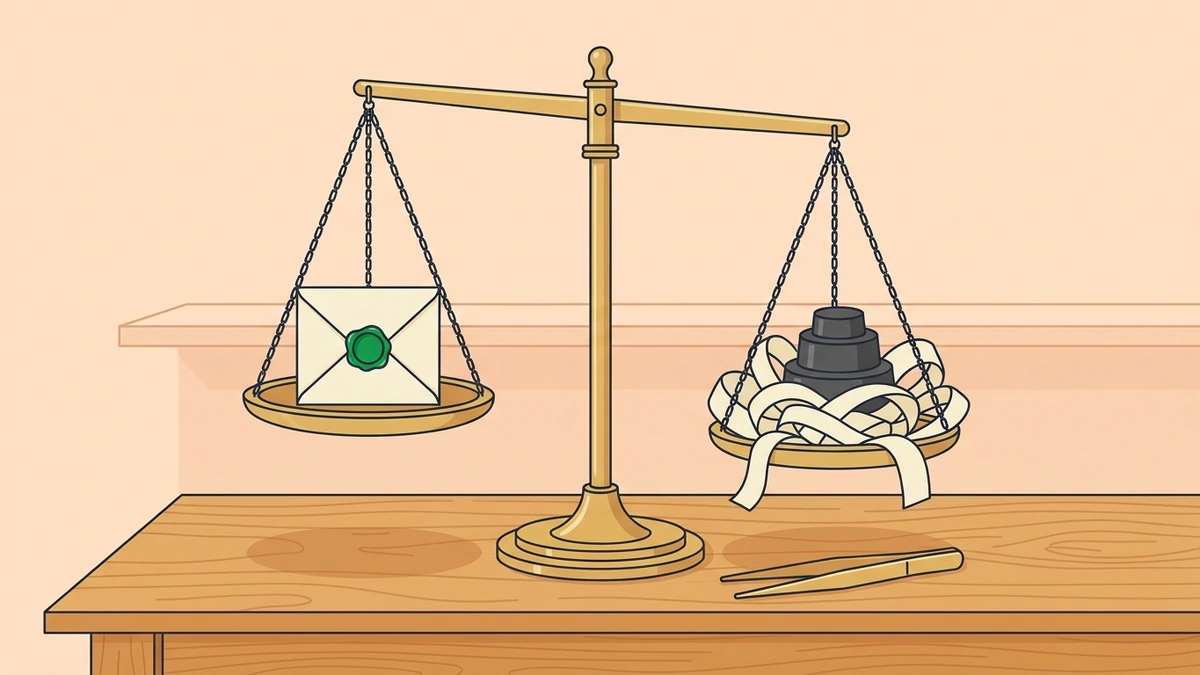
Example 1: Eliminating empty announcements and throat-clearing
Here is a draft that runs too long:
Before: "In today's fast-paced digital environment, it is worth noting that our editorial team conducted an assessment of the database performance issues, ultimately identifying three specific server latency bottlenecks that require remediation before the Friday release."
After: "Our editorial team investigated the database performance issues and identified three server latency bottlenecks that require remediation before the Friday release."
Why this edit works: The revision removes the introductory throat-clearing phrase "In today's fast-paced digital environment, it is worth noting that" and replaces the noun construction "conducted an assessment of" with the direct verb "investigated." It preserves the team, the database subject, the three bottlenecks, and the Friday deadline. No new details or assumptions were introduced.
Example 2: Correcting passive voice and vague agency
Here is a draft where the actor is obscured:
Before: "A comprehensive evaluation was performed by the QA group across all twenty test environments, whereby it was determined that memory leakage occurred whenever background synchronization scripts were initiated."
After: "The QA group evaluated all twenty test environments and found that memory leaked whenever background synchronization scripts started."
Why this edit works: The revision shifts the passive constructions "was performed by the QA group" and "it was determined" into direct active voice. It replaces nominalized nouns like "memory leakage occurred" with "memory leaked." All twenty test environments, the background synchronization scripts, and the causal condition remain intact. No facts were added.
Example 3: Stripping superficial trailing participles
Here is a draft filled with promotional fluff:
Before: "The system automates the routing of customer inquiries, providing a seamless operational experience across channels, streamlining everyday team communication, and serving as a testament to modern efficiency."
After: "The system automates the routing of customer inquiries across channels."
Why this edit works: The revision cuts the trailing analytical participles "providing a seamless operational experience" and "streamlining everyday team communication," along with the promotional metaphor "serving as a testament to modern efficiency." These phrases repeated the core idea of inquiry routing without adding concrete operational facts. The functional capability and multi-channel scope were preserved.
Example 4: Preserving essential conditions and qualifications
Here is a draft that contains delicate policy rules:
Before: "Users can upgrade to the advanced analytics tier at a discounted rate, provided that their account registration was completed before the third quarter audit and their current subscription remains active without prior payment disputes."
After: "Users can upgrade to the advanced analytics tier at a discounted rate if their account was registered before the third quarter audit and their current subscription remains active without prior payment disputes."
Why this edit works: The revision tightens the conjunction from "provided that" to "if" and simplifies "registration was completed" to "was registered." Crucially, it preserves all three prerequisites: registration timing before the audit, active subscription status, and absence of payment disputes. A hasty edit might drop the qualifications to make the sentence punchier, but removing those conditions would turn an accurate statement into a misleading one.
Six critical mistakes in AI content workflows
1. Generating text without reference source material
The most common mistake is asking a broad question and accepting the answer without reference material. The model then relies on general web consensus, which is often outdated or inaccurate. Supply verified notes or primary documentation with the prompt.
2. Single-pass publishing without editorial handoffs
Give drafting, fact-checking, and copyediting separate handoffs. Publishing straight after generation leaves errors unchecked. Even when one person does all the work, checking facts, style, and formatting in a single pass makes errors easier to miss.
3. Relying on AI detectors as a quality benchmark
Some teams keep revising a draft until an AI detector gives it a hundred percent human score. Our investigation into whether AI humanizers beat AI detectors explains that these scores measure statistical perplexity and burstiness. They do not measure accuracy or editorial depth. Changing sentences to satisfy a detector often makes them awkward and harder to read without improving the article.
4. Over-polishing until author voice disappears
Repeated polishing can erase the expressions, technical language, and firm opinions that make a draft yours. Models tend to smooth those details away until the article sounds like every competing post. Keep editorial positions you can defend, direct observations, and precise technical wording.
5. Operating without a negative prompt repository
Keep a shared set of instructions about what to exclude. Otherwise, the team will repeat the same prompting mistakes on each article. Record unwanted corporate cliches, generic conclusions, and sentence patterns. Update the instructions after each publication cycle to improve the team's first drafts.
6. Ignoring visual formatting and structural accessibility
Give formatting its own pass. Models produce blocks of uniform paragraphs; editors need to add tables, useful bullet lists, and descriptive subheadings. Those choices help readers find their way through complex material on desktop and mobile screens.
The repeatable production checklist
Before approving an article, work through this checklist, whether you write alone or with a team:
- Strategy: The topic targets a specific reader question and search intent identified through search data or customer inquiries.
- Research: A dedicated source dossier contains verified primary documentation, expert quotes, and firsthand testing data before drafting begins.
- Structure: An outline with clear H2 and H3 headings has been locked, accompanied by specific negative constraints and boundary rules.
- Drafting: Text was generated section by section using modular prompts constrained by the verified research dossier.
- Factual Audit: Every statistic, proper noun, technical specification, and quotation has been checked against an opened primary source.
- Hyperlink Audit: All external reference links have been verified to return an active HTTP 200 response and directly support the corresponding claims.
- Voice and Tone: The draft has been edited by hand to eliminate copula avoidance, trailing participles, robotic transitions, and filler phrases.
- Rhythm: Sentence lengths vary naturally, combining concise instructions with detailed explanations.
- Internal Links: Contextual links point to 2 to 5 relevant existing articles within your publication to support reader discovery.
- Formatting: Tables, lists, and headings are properly formatted according to site specifications without unsupported code or broken tags.
- Final Sign-off: A human editor takes responsibility for the factual integrity and publication quality of the finished piece.
Frequently asked questions
Can an AI content workflow completely replace human writers?
No. Writers spend less time on initial descriptive summaries, but they still have to do the research, conduct interviews, design technical tests, and refine arguments. Models have no sensory experience or professional accountability and cannot verify real-world facts. Without a writer's original perspective and checked evidence, the resulting prose gives readers little value and performs poorly in search engines.
What is the difference between an AI workflow and a one-click article generator?
A one-click generator takes a keyword and produces a whole article in one prompt. The result contains generic filler, hallucinated claims, and uniform phrasing. A workflow gives each part of the job its own stage: human research, a collaboratively designed outline, section-by-section drafting, independent fact-checking, and manual voice editing. AI speeds up the mechanical drafting; people remain responsible for the structure, facts, and quality.
Should you use commercial AI humanizer tools within your workflow?
Commercial humanizers can help you spot repetitive sentence patterns or try other wording for a stiff passage. They still need a human copyeditor. Most are paraphrasers that swap synonyms and rearrange clauses to lower detection scores. That process often damages technical precision, changes conditions, or adds odd idioms. Human editing remains the dependable way to make the draft clear and give it a voice.
How much time does an AI-assisted workflow save compared to writing from scratch?
There is no reliable time-saving percentage for every publication. Track the hours spent on research, outlining, drafting, verification, and editing for a few comparable articles before and after adding AI assistance. Outlining and first drafts may get faster, while source checks and editing can take longer if the generated text introduces errors. Keep those checks in the schedule when deciding whether the workflow saves time.