Content Moderation for AI Posts on Community Platforms

Community platforms may review posts before publication, after publication, or both. A moderator can check relevance, accuracy, presentation, and promotional links; readers can report problems that emerge later. If you use AI to help draft a post, check its claims yourself, remove filler, and follow the community's rules before submitting it.
A magazine may assign an editor to a commissioned article. A developer forum or collaborative blog may instead accept contributions from many members. Its moderators have to decide whether each submission belongs there and whether readers can use it. The volume and workflow vary by platform.
That difference matters when you submit a draft. A good article can be held for review, placed in a public contribution area, or returned with a request for changes. The account from one community moderation team shows how those decisions can work in practice. Its procedures are an example, not a rule for every site.
How a post moves through moderation
A platform may combine several kinds of review. In the community team's account, the useful stages to understand are:
- A private submission area holds a new contributor's article until moderators can review it.
- Moderators assess its fit, usefulness, originality, presentation, and factual claims where questions arise.
- They can approve it, make it available in a public contribution area for reader feedback, or return it with a reason.
- After publication, moderators may check layout, code formatting, images, tags, and links.
- Readers can flag problems, and moderators can revisit the article or its comments.
| Moderation stage | Who handles it | What gets checked |
|---|---|---|
| Private sandbox | Human moderators | Off-topic submissions, sales pitches, and unreadable machine drafts |
| Publication decision | Moderators | Original work, beginner tutorials, and shallow compilations |
| Checks after publication | Moderators | Code formatting, images, tags, and links |
| Community feedback | Readers and moderators | Reports, comments, and questions about the article |
What happens in the submission queue
Some communities place a new contributor's article in a private submission area. On the platform described in the source, moderators can read this area while the public cannot. A separate public contribution area lets readers assess some posts that do not receive direct promotion. Check the rules of the particular site where you plan to publish.

How long review takes
The moderators describe checking submissions several times a day and generally processing them in first-in, first-out order. At the time of their account, review usually took one to five days. That was their reported wait in 2021, not a current service promise or a benchmark for other communities.
Exceptions follow specific, documented conditions:
- An article about a bug, vulnerability, or urgent event may be handled out of order.
- An article tied to a scheduled event may be held until that event.
- An article suited to slower weekend reading may be saved for a later slot.
The account asks contributors to be patient rather than message moderators to hurry a review. If a platform publishes an expected wait, use that as your guide before following up.
The three possible decisions
A moderator can send a staged article down one of three paths:
- Direct approval. The post fits the audience, develops its subject, uses readable language, and supports its factual claims. On the source platform, approval could also grant an author publishing privileges.
- Public contribution area. The post may be useful but too basic for the main feed, or its value may be hard for a general moderator to judge. Readers can consider it and give feedback.
- Return to drafts. The submission may be off topic, promotional, copied from someone else, poorly translated, or too thin to help readers. The moderator sends a reason for the return.
A public contribution area can give useful beginner material a chance to find readers. It does not guarantee later promotion, and other platforms may use a different process.
What software checks and what people judge
Some writers assume that getting past an AI detector will get their article accepted. The moderation account describes people reading submissions and deciding whether they serve the audience. Other platforms may use different tools, so check their published policies.
Why a detector score cannot settle a review
The research on AI text detection reliability shows that tested detectors can lose accuracy after paraphrasing and can sometimes flag human text. Its experiments do not establish the review policy of any particular community.
A detector score cannot tell whether a post explains a real problem, its instructions work, its claims have evidence, or it serves the site's readers; a human reviewer can assess those points. The moderation account does not say that a detector identifies AI-assisted writing.
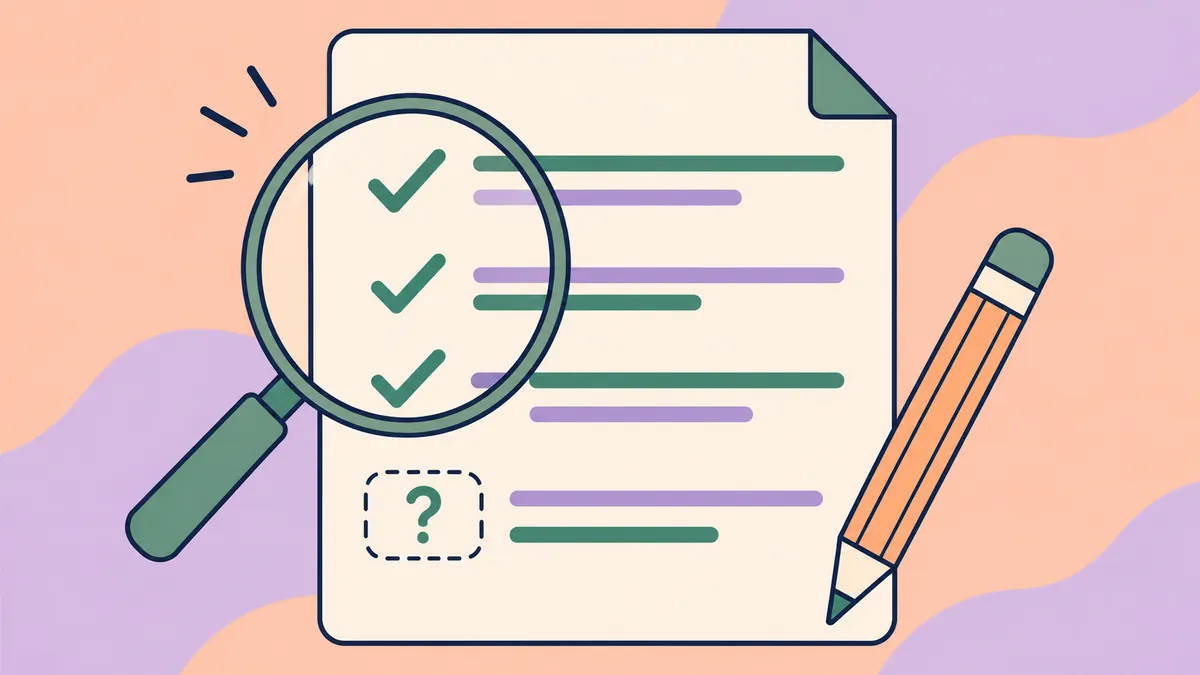
Spend your editing time on the explanation and its evidence.
Why reader reports still matter
A review before publication cannot catch every later problem. Readers may notice an undisclosed promotional link, a broken instruction, or a claim that needs a source. The moderation team describes relying on reports for work that happens after publication, including comments added later.
Respond to a substantive report by checking the relevant passage and correcting it openly. A complaint based only on disagreement is different from a report that points to a rule violation. Moderators need the specific rule and the relevant passage to assess it.
The formatting checks that continue after publication
Approval in a private queue does not necessarily end review. The source team says its moderators skim published articles and inspect questionable ones in more detail. They may fix minor presentation errors, while larger issues can mean returning a post to drafts and asking its author to revise it.
Make code readable
Technical communities need code that readers can inspect and use. Authors sometimes paste raw code into ordinary paragraphs or place it inside tables. Both make the instructions harder to follow.
Use the proper syntax formatting for programming code, terminal commands, configuration files, and system output:
- Mark short snippets as code if the editor supports it.
- Use a dedicated block for multi-line code and select its language when the editor offers syntax highlighting.
- Separate terminal output and error traces from script logic. Readers need to distinguish what they should enter from what the system returns.
Lost indentation can break Python code and YAML configuration. Check the displayed article, including the separation between commands and their output.
Check images as well as text
Moderators review covers, architecture diagrams, and screenshots for loading performance and relevance. A useful diagram still needs to fit the page.
- Optimize cover files for mobile loading and follow the site's stated size limit.
- Follow the site's cover dimensions. A vertical cover or extreme panorama may fit poorly in an article feed.
- Use a static image for a static cover or diagram when the site requests it.
- Choose an image that relates to the article. Generic decorative clip art gives readers little help with the subject.
Choose accurate tags and descriptive links
Topics, hubs, and category tags help readers find a post. Moderators check them for attempts to gain unrelated traffic. A web development tutorial should not carry cloud security or data science tags unless it covers those subjects.
Link text should describe the destination and fit the sentence. Avoid bare URLs and labels such as "click here" or "source link". Check citations against their destination. A referral link or a commercial redirect can raise a separate moderation concern; do not assume every site handles such links in the same way.
Five reasons AI-assisted posts get rejected
Correct grammar, clean language, and an absence of plagiarism do not make a technical article useful. A moderator can still return it for problems with its substance or structure.
1. Repeating a point without explaining more
AI-assisted drafts can repeat a point across several sentences with little change beyond vocabulary. The same problem occurs in human drafts.
That repetition asks the reader to keep working without learning anything new. Check whether each sentence adds a fact, a condition, or an explanation that the previous sentence lacks.
2. Passing off advertising as instruction
Marketers often use generative tools to produce lead magnets and company blog posts. The resulting draft may praise a commercial product throughout what appears to be an educational guide.
The Wikipedia conflict of interest guideline is one example of a community explaining why contributors should disclose interests. The moderation account likewise describes rejecting posts that disguise advertising as instruction. A draft that praises a paid tool without showing how it solves the stated problem gives reviewers reason to question its purpose.
Some communities allow discussion of an author's own project under specific conditions; others restrict it. Read the site's rules, disclose your affiliation when required, and keep the tutorial useful to someone who chooses another tool.
3. Including technical claims that do not hold up
Generative software can supply a claim or configuration parameter that sounds plausible but is wrong. The survey on hallucination in large language models describes outputs that conflict with input, context, or established knowledge. Verify quotations and citations against their originals before including them.
A nonexistent command can waste a reader's time or cause harm. A moderator may check a claim that looks doubtful; a reader may report a mistake after publication. Test commands in a suitable environment and state the limits of what you checked.
4. Leaving translation problems in the draft
Contributors may use translation software to draft in another language. The source team specifically describes rejecting unedited machine translations and preferring original contributions over copies of other articles.
Check specialist terms, code identifiers, and the meaning of each claim against the source material. A polished translation of someone else's article still needs permission and may not fit a community that expects original work.
5. Writing a tutorial without practical depth
The source team values posts that develop a topic, check their facts, and help the audience. It also describes a place for simple beginner tutorials that are useful but may not suit the main feed.
A summary of basic syntax can still help a beginner if it answers a concrete question well. Add what you tried, explain where a step can fail, and identify what a reader should expect to see. That makes the post easier to evaluate on its merits.
Three edits that make a draft easier to review
Example 1: Remove the sales pitch
Here is a passage that starts with a real engineering problem and turns into a sales pitch.
Before: When modern engineering organizations decide to modernize their backend deployment pipelines, they frequently find themselves wrestling with complex configuration challenges across distributed server fleets. Fortunately, CloudManage Pro emerges as a breathtaking and revolutionary breakthrough that eliminates every operational headache! Unlike clumsy traditional management platforms, CloudManage Pro delivers an exhilarating user interface that makes infrastructure monitoring pure joy. If you are serious about taking your engineering career to majestic new heights, you owe it to yourself to sign up for CloudManage Pro today. Simply navigate to their homepage, start a free fourteen-day enterprise trial, and watch your server management workflow transform before your eyes!
After: When engineering organizations modernize deployment pipelines across distributed server fleets, they face configuration challenges.
What was cut and why: The revision removes all promotional marketing cheerleading, emotional superlatives ("breathtaking and revolutionary breakthrough", "pure joy", "majestic new heights"), and direct calls to action ("sign up for CloudManage Pro today", "start a free fourteen-day enterprise trial"). It drops the commercial product endorsement entirely because the draft contained no technical documentation or architectural comparison to justify the promotion. The revision retains only the underlying operational problem: configuration challenges when modernizing deployment pipelines across distributed server fleets.
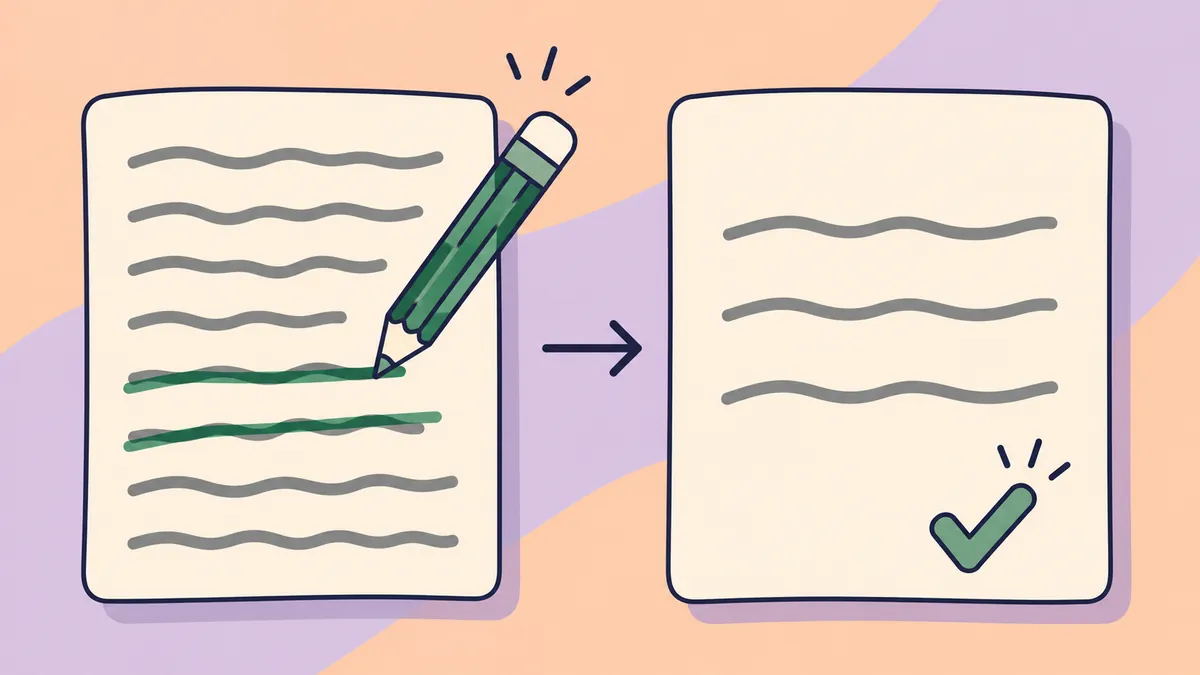
Example 2: Say the point once
The following draft attempts to explain database connection pooling, but it circles around a single observation across multiple sentences without advancing the explanation.
Before: Database connection pooling serves as a vital optimization mechanism that allows web applications to conserve valuable server resources during high-traffic operational periods. By establishing a reusable collection of persistent database connections, backend systems can drastically minimize the overhead typically associated with constantly opening new connections. When software applications take advantage of pooled connections, they reduce latency by preventing the server from having to negotiate an entirely new database connection for every incoming user request. Reusing established database connections saves memory and processing power, ensuring that the backend infrastructure remains efficient even when traffic volume spikes significantly.
After: Database connection pooling reduces server resource usage and request latency by maintaining reusable connections rather than opening a new connection for every incoming request.
What was cut and why: The revision removes the repetitive assertions that rephrased the same performance benefit across four sentences with slight vocabulary shifts. The phrase "conserve valuable server resources during high-traffic operational periods", "drastically minimize the overhead typically associated with constantly opening new connections", "preventing the server from having to negotiate an entirely new database connection", and "saves memory and processing power" all describe the identical mechanism. The revision compresses the passage into a single direct sentence that retains both concrete benefits: reducing server resource usage and lowering latency.
Example 3: Show a command clearly
Here is a draft that buries a command in alarmist prose.
Before: YOU MUST NEVER FORGET THIS VITAL STEP! To check which version of Python is installed, run this amazing command right now: python --version. This is an absolutely essential command that every single developer must know!
After: To check the installed Python version, run python --version.
What was cut and why: The revision removes shouting and unsupported claims about how essential the command is. It keeps the purpose and the exact command, while formatting the command so a reader can identify it quickly.
Prepare your draft for submission
Use these five steps to check a draft before sending it to the queue. Work through the technical details as carefully as the wording.
Step 1: Verify facts and commands
A generated command, configuration parameter, or library version needs checking. Open a terminal, local virtual environment, or staging container and run every command in the draft.
- Check package names, arguments, and flags against the current stable software release.
- Compare system output and error logs with actual responses from your environment.
- Check technical assertions against official vendor documentation or primary open-source repositories.
- For benchmarks and performance figures, describe the hardware, network setup, and testing parameters that produced the data.
Step 2: Remove sales language
Read each paragraph for commercial bias. Moderators remove submissions that use an instructional format to sell something.
- Remove affiliate codes, referral links, and marketing campaign query parameters from outgoing URLs.
- Cut closing requests to subscribe to a newsletter, buy a product, or book a consulting call.
- If you created the library, tool, or service discussed, disclose that relationship in a neutral author note.
- If the tutorial requires a paid tool, say so before the instructions and explain why it is needed.
Step 3: Check code and typography
Inspect the draft's layout against the platform's rules. This is where you catch presentation errors that a sentence-by-sentence edit can miss.
- Put terminal commands, configuration blocks, and scripts in code blocks with language-specific highlighting.
- Use inline code for file paths, variable names, and function names in paragraphs.
- Use level two headings for main sections and level three for subsections, without skipping levels.
- Remove all-caps emphasis, excessive bold, and decorative emoji sequences.
Step 4: Read for repetition and awkward phrasing
Readers scan technical articles for direct answers, as described in Nielsen Norman Group research on web reading habits. Read your draft with that habit in mind.
- Replace passive corporate wording with direct verbs where you can name the actor.
- Rework runs of sentences with identical lengths and structures so the rhythm suits the explanation.
- Cut empty transitions such as "in today's fast-paced digital world", "it is crucial to remember", and "moreover, furthermore".
- Use the diagnostic guide to signs of AI writing to identify recurring vocabulary problems.
- For stiff translated prose, follow the line-editing process in humanizing AI text manually.
Step 5: Check metadata and destinations
Finish with the information around the article. A clean draft still needs accurate categories, a useful description, and working citations.
- Select relevant category tags or hubs within the platform's stated limit.
- Write an objective meta description that states the article's technical point plainly.
- Check that outside links reach active, authoritative sources and return successful HTTP status codes.
- Use a first article checklist for a final pass before submission.
Responding to a return or quarantine notice
Careful authors can still have posts returned. Read the decision before revising. A moderator note may explain why the submission was declined.
Find the specific problem
Moderators handle heavy queues and enforce the platform's rules strictly. Treat the notice as feedback on the submission. Identify what it asks you to fix:
- Does it flag commercial links?
- Does it ask for more technical depth or examples?
- Are the layout or code snippets unreadable?
- Is the subject outside the platform's scope?
The answer determines your next edit. General polishing will not address a complaint about unsupported technical claims or an off-topic subject.
Make changes before resubmitting
Do not immediately send the same article back. The source team describes unchanged resubmissions as frustrating because they repeat the review without addressing the reason for return. Follow the platform's rules and revise the actual problem before trying again.
Revise around the stated problem. If the note identifies promotional wording, remove commercial references and focus on the open-source implementation. If it calls for technical depth, set up a local testing environment, run detailed benchmarks, and document what you find.
Submit the revised draft through the official queue. Add a brief, polite note describing the changes you made in response to the feedback, so the moderator can see what you addressed.
Appeal a misunderstanding through the official channel
If you think the decision rests on a misunderstanding or moderator error, check whether the platform offers an appeal or support channel.
- Keep the appeal brief, polite, and factual.
- Link to the draft and state the date of review.
- Explain how it follows the guidelines, citing technical details.
- Ask which specific changes would make it acceptable.
Keep the discussion about the article and the published rules. Our guide to checking AI text manually can help with a weak draft, while Google's helpful content guidance offers a broader reference for useful, original material.